Every module, shown in the real app.
83 things you can use today, plus more set up on request. Nothing here is a paid add-on.
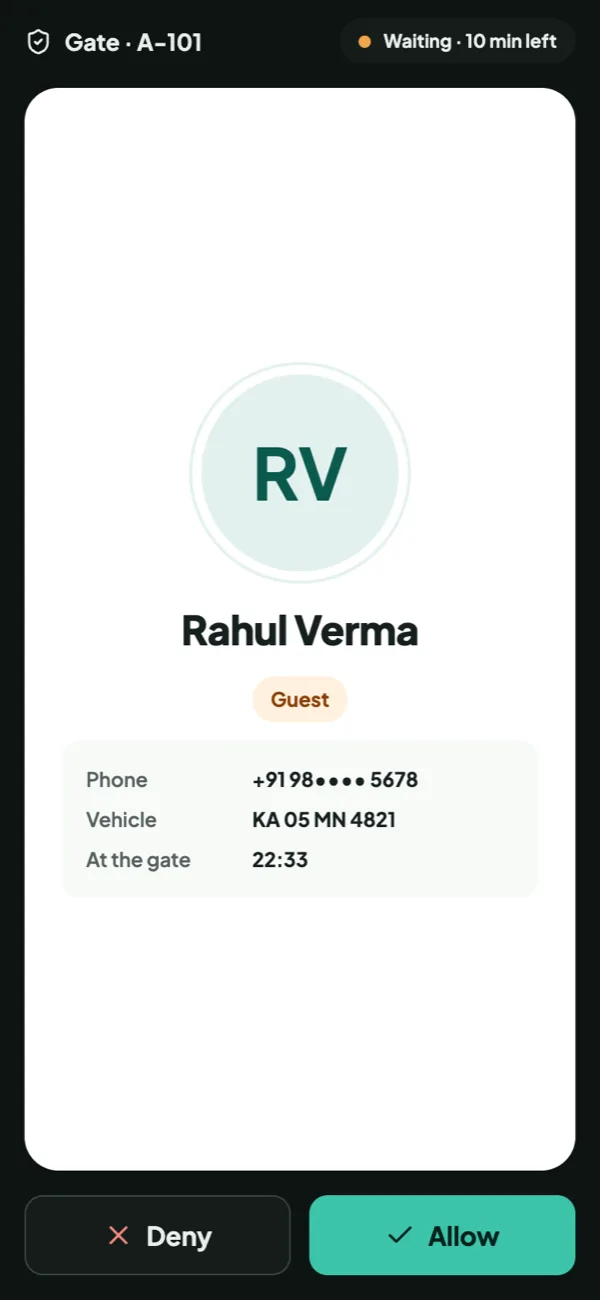
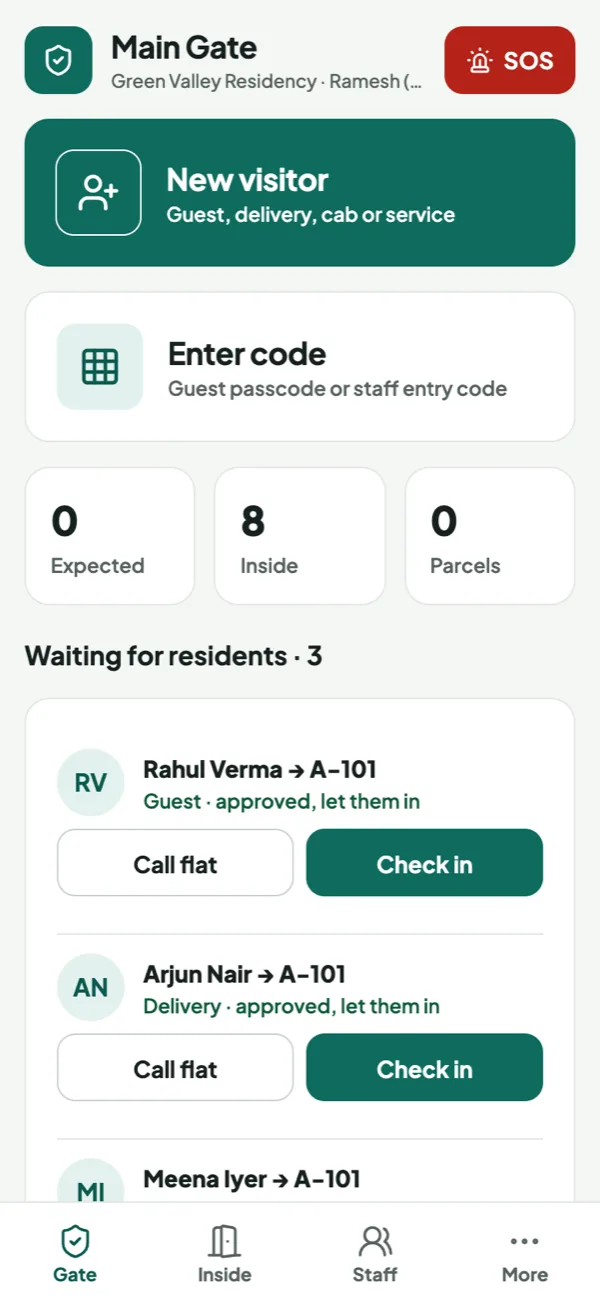
Know who’s at the gate. Decide in one tap.
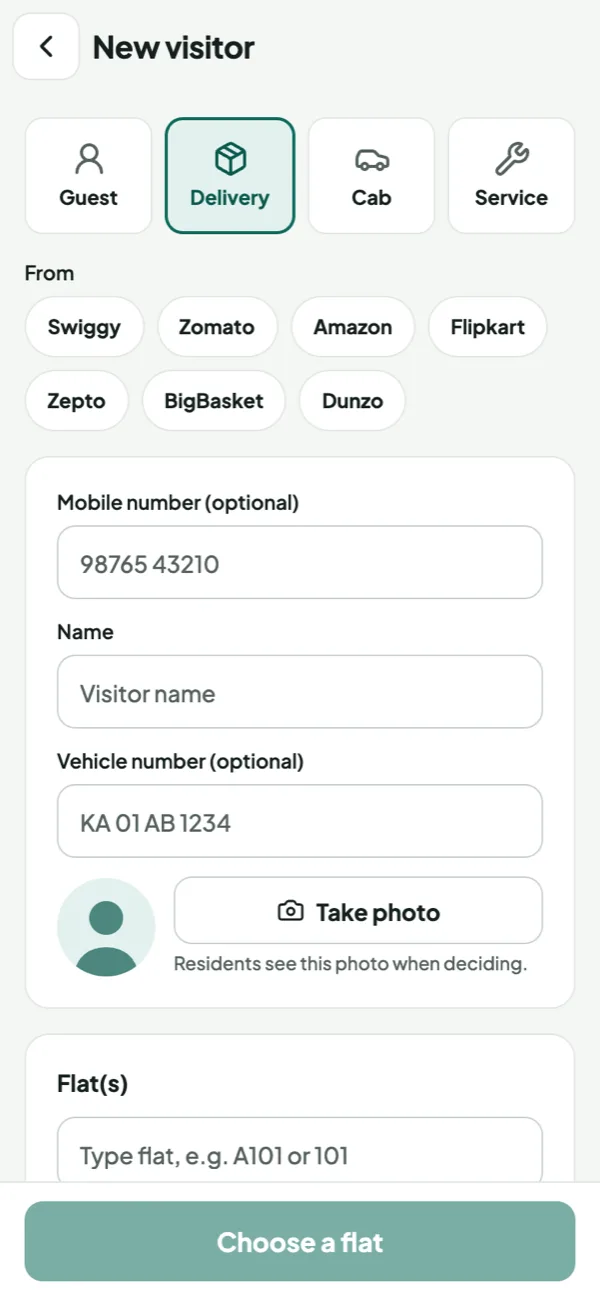
Allow or deny. Full-screen prompt with the visitor’s photo, even when the app is closed.
Pre-approved guests. Share a code for the time you choose; the guard enters it and they walk in.
Deliveries & cabs. Swiggy, Amazon and more in one tap; parcels kept at the gate.
Daily help. Maids, cooks and drivers check in with a code; you see when they come and go.
SOS from any flat. Medical, fire, security or stuck in a lift: guards see it live, the office is notified.
Smart gates. Boom barriers, RFID and number-plate recognition.
On requestQR passes & offline gate. Scan-to-enter passes; the gate works without internet.
On request
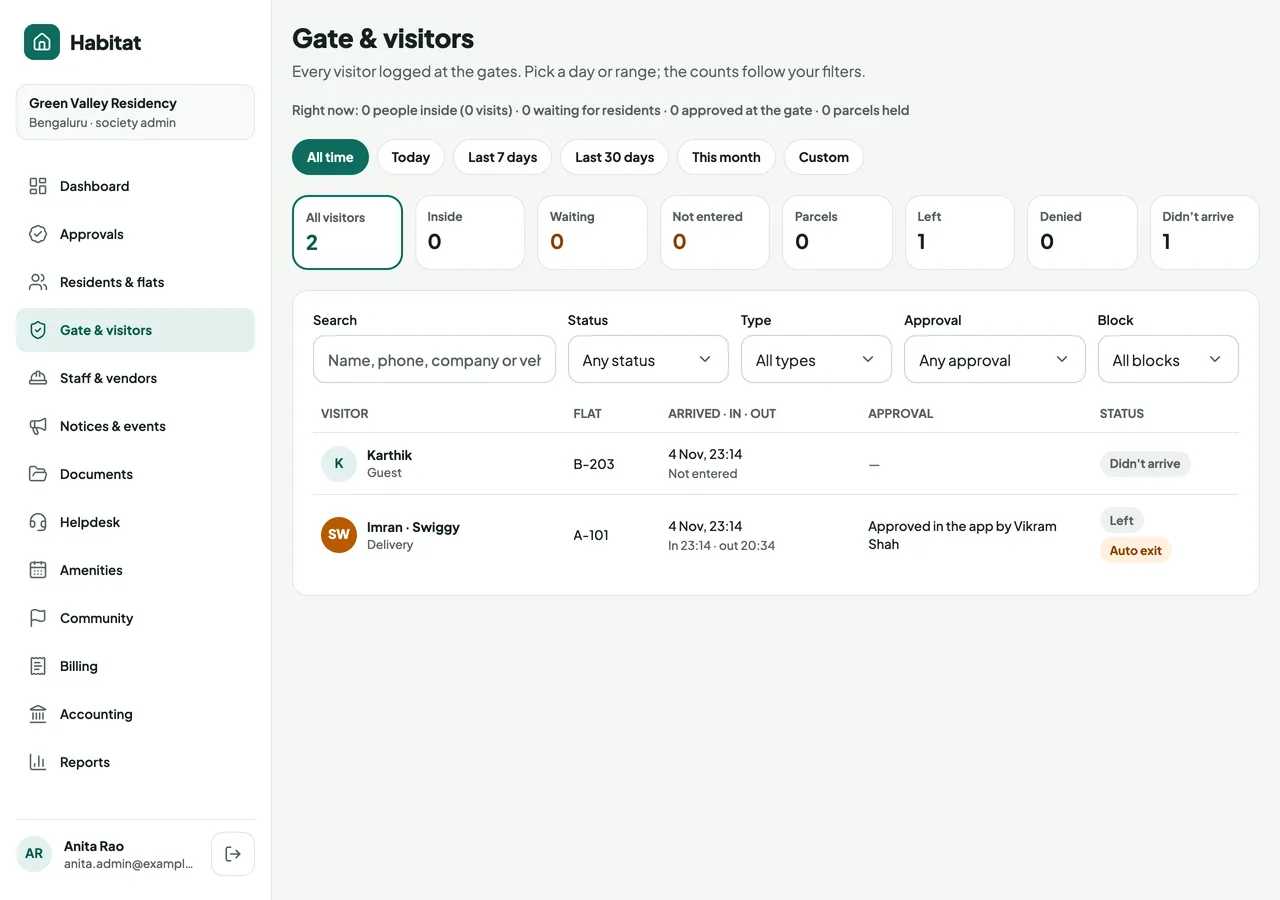
Every visit ends with an exit, or a flag
Auto checkout by type. Guests after 12 hours, cabs and deliveries after 1, services after 4. Each auto exit is flagged.
The household confirms. Where the rules say ask, residents get one prompt: They’ve left, or Still here.
Codes that expire. Valid only for the time the resident picks, up to 31 days, and easy to extend.
Groups, counted. The guard records how many came in, then checks out all or some of them.
Nothing slips past the office. Didn’t arrive, Auto exit and Overstaying are flagged, never a log full of people “inside”.
Timers and rules are set for each society; these are the defaults.
Everything about home, in one simple app
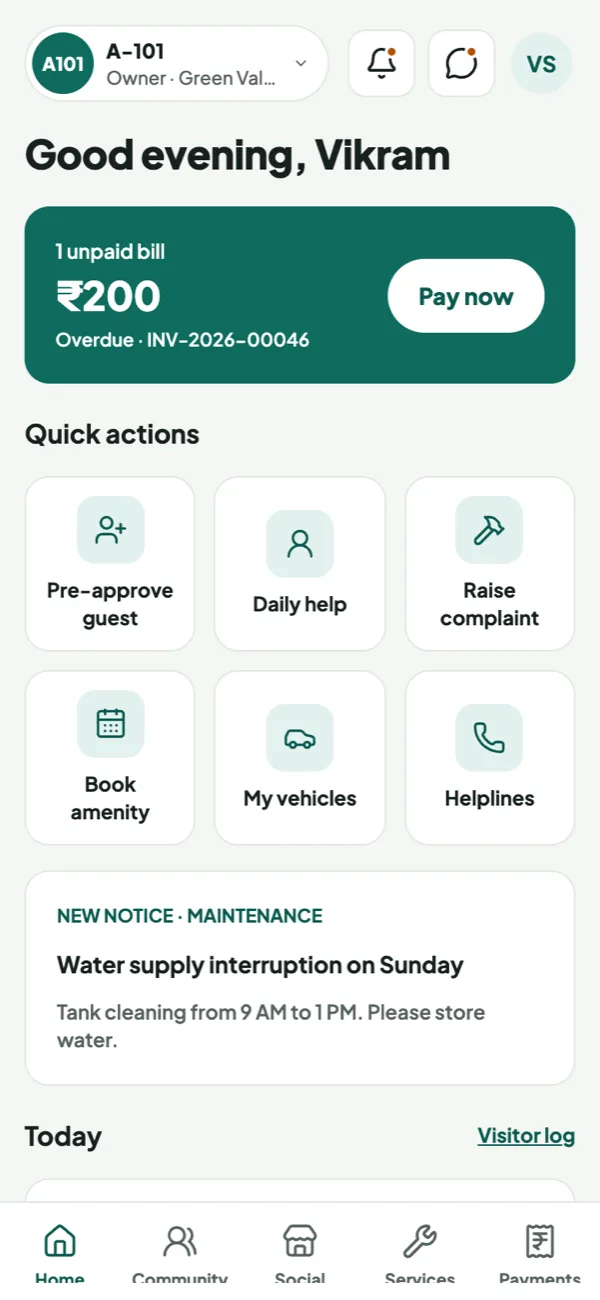
Every home. Several flats or societies in one login; switch in one tap.
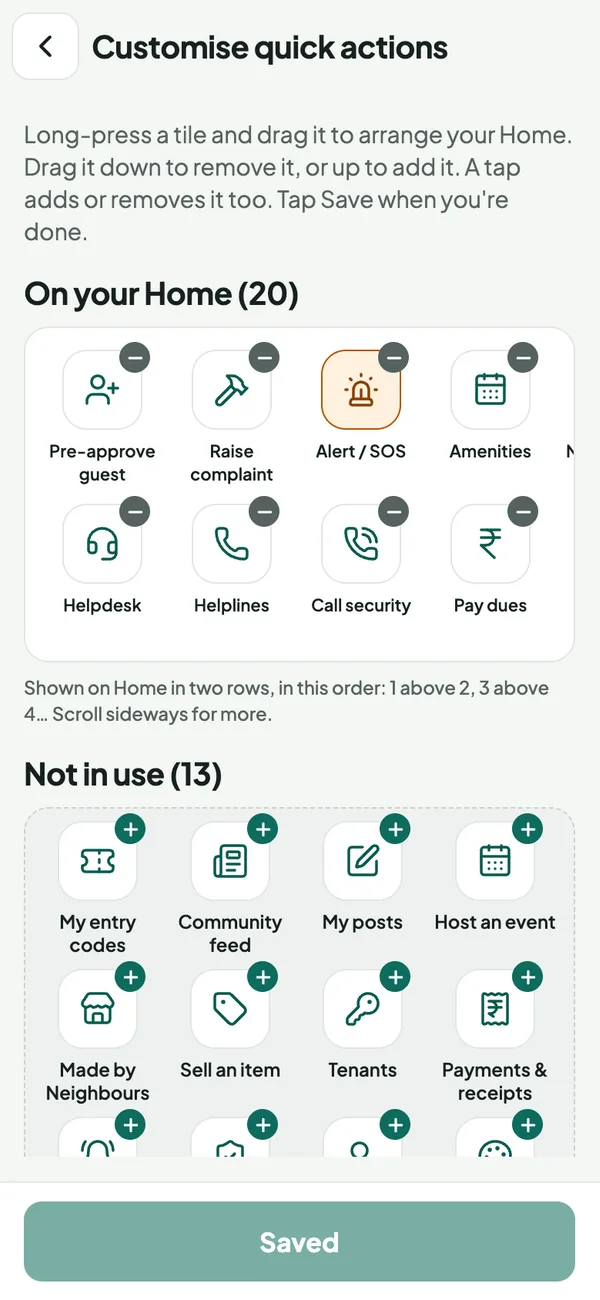
Your quick actions. Choose and arrange the tiles on Home: guests, complaints, SOS, dues and more.
Pay dues in seconds. UPI, cards and net banking, with PDF receipts.
Your household. Add family, tenants, daily help and vehicles yourself.
Comfortable for all. Light and dark themes, larger text, reduced motion.
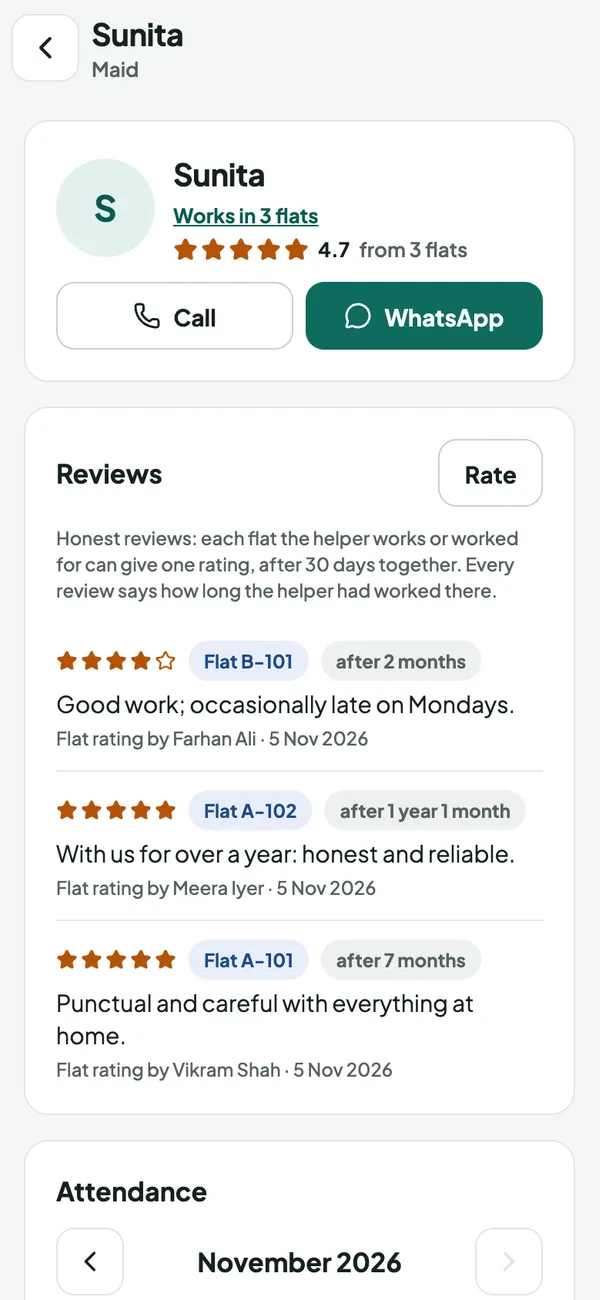
Know your help. Trust the reviews.
Reviews after 30 days. One rating per flat, and only once the helper has worked there a month.
Tenure on every review. “After 7 months” tells you how much each review is worth.
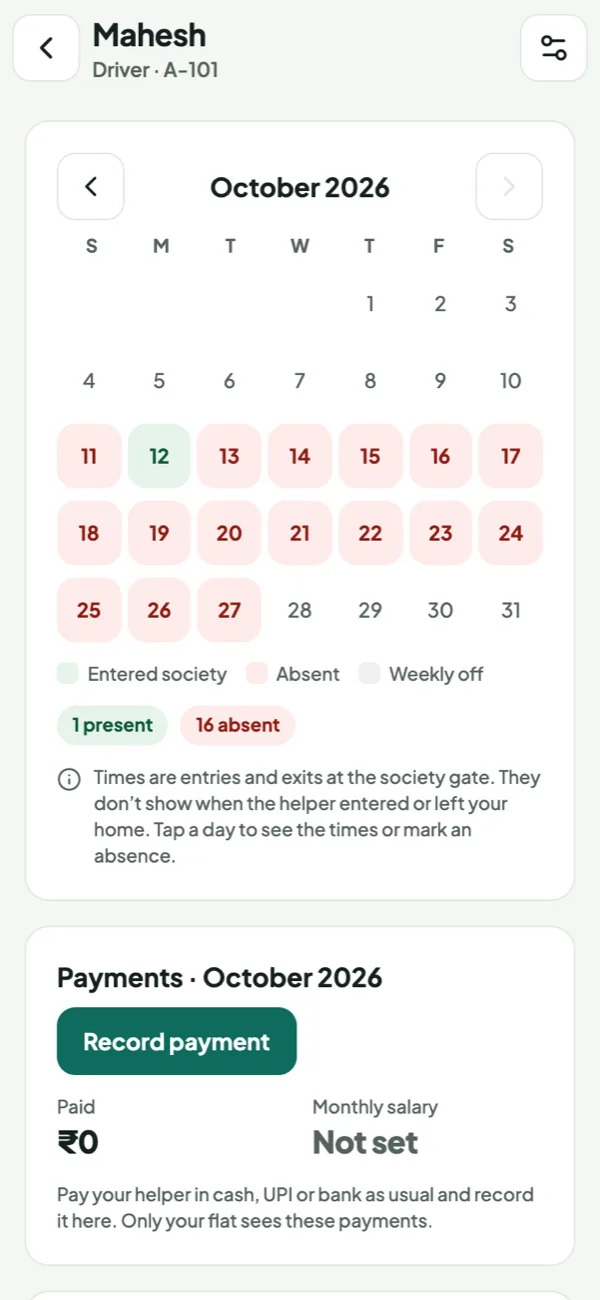
Attendance calendar. Green when they entered the society, red when they didn’t; tap a day for the times.
Salary & payments. Record cash or UPI; paid days are marked. Private to your flat.
Hire with confidence. Every helper in the society with contact details, or add someone new for the society to review.
Times shown are entries to the society, not to the home.
Built for guards, on a secure Habitat device
Habitat gate device. No charge: a refundable deposit. Residents’ data never sits on a guard’s personal phone.
Paired, not logged in. The admin pairs it with a QR code; each guard goes on duty with a 4-digit PIN.
Fast at the gate. Big buttons, repeat visitors fill in, one keypad for guest and staff codes.
Alerts & SOS arrive. Always on and online; a resident’s SOS shows live and the device vibrates.
Tamper-proof, lost or not. Runs only Habitat; a lost device is signed out instantly, locked and wiped.
Maintenance billed, collected and receipted
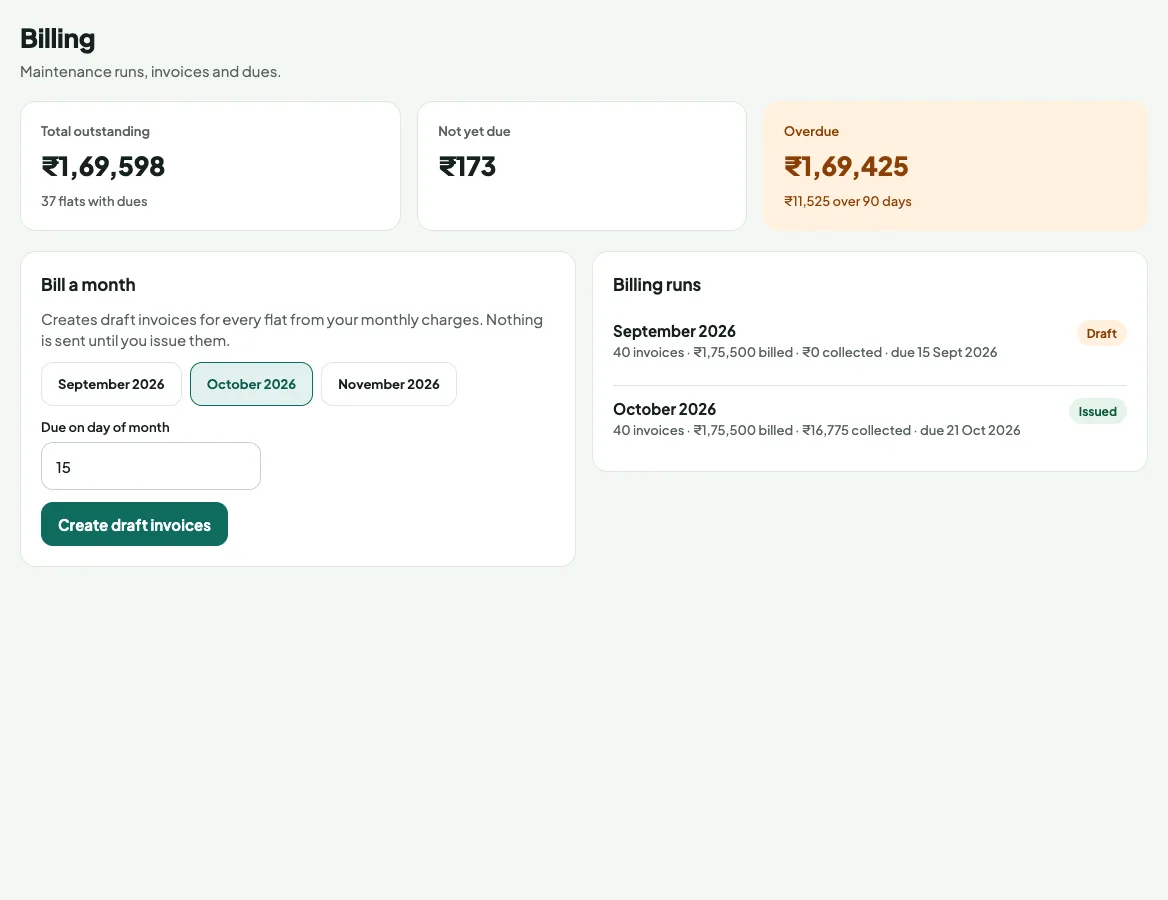
Billing runs. Fixed or per sq ft charges, monthly to yearly, with GST.
Collect any way. UPI and cards online; cash, cheque and NEFT recorded by the office.
Late fees & reminders. Percent or flat, with grace days and SMS reminders.
Adjustments. Advances, credit notes, refunds and bounced cheques handled.
Owner or tenant pays. The owner decides who gets the maintenance bill.
Real books your auditor can trust, included
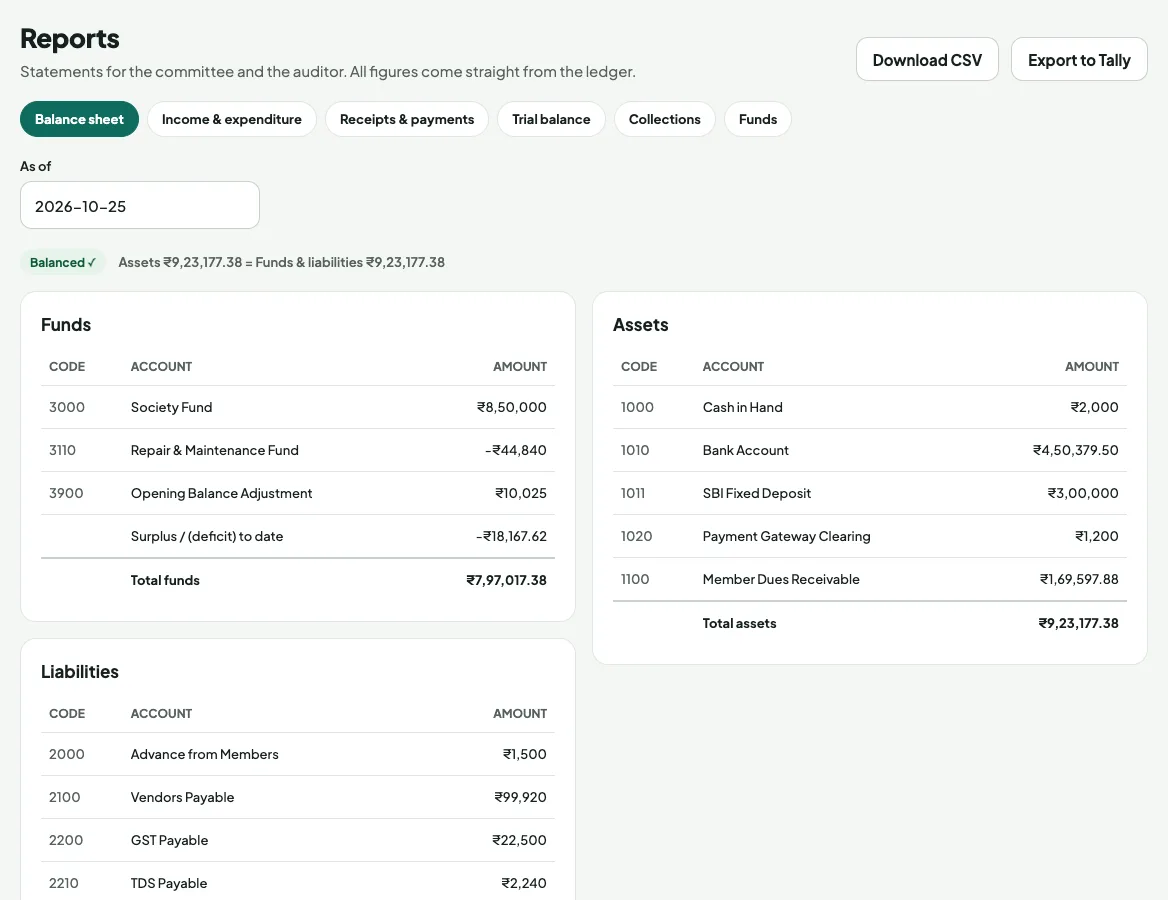
Double-entry, accrual. Every bill and payment posts to the books itself.
Vendors, TDS & GST. Vendor bills with TDS and GST input credit, payments, statements.
Bank reconciliation. Import statements; entries match automatically.
Funds, budgets, year-end. Sinking funds, budgets vs actual, April–March close and locks.
Auditor-ready. Balance sheet, I&E, R&P, trial balance; Tally XML and CSV.
GST done right, every month
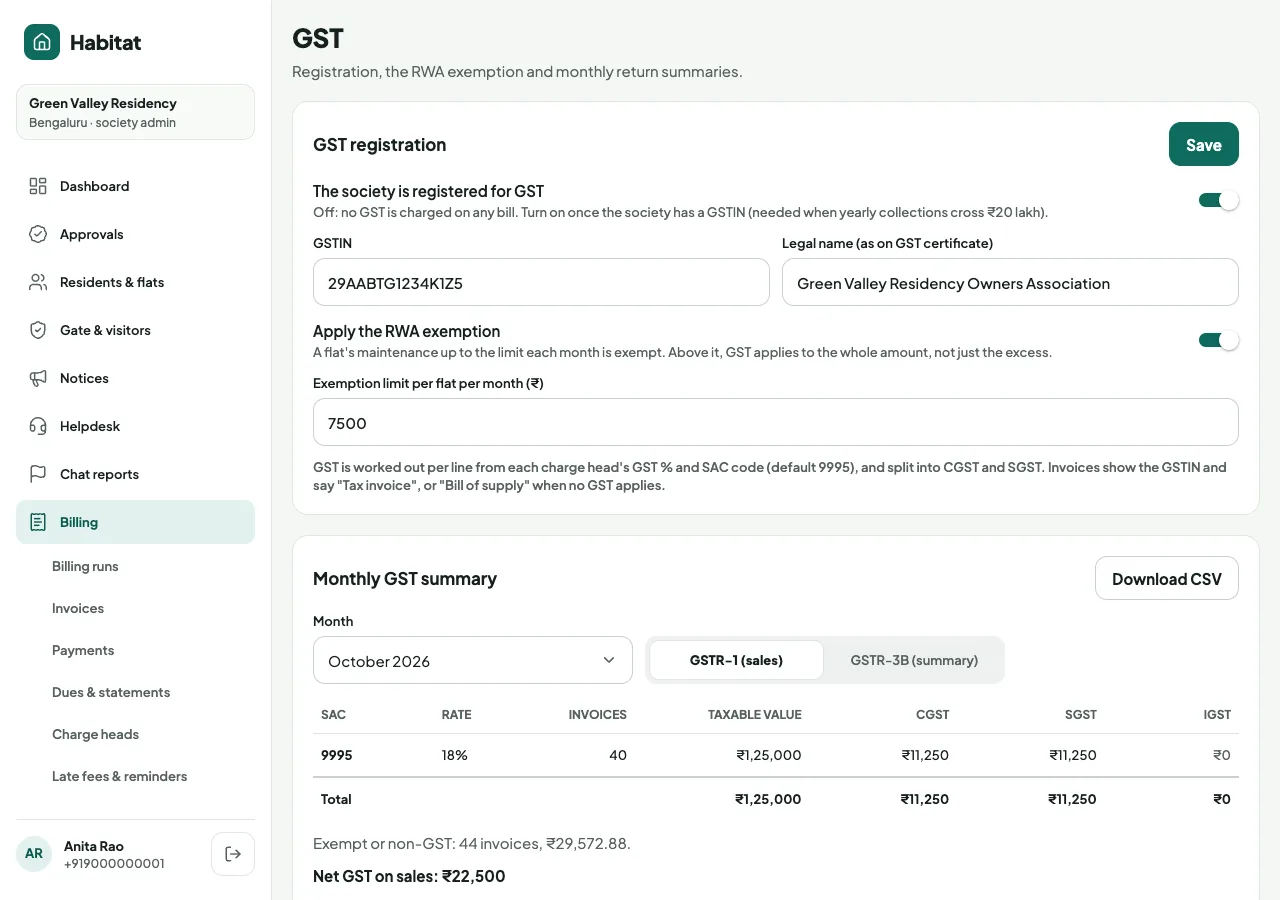
Tax invoices with your GSTIN. CGST and SGST on every line, with SAC codes. A bill of supply when no GST applies.
₹7,500 RWA exemption, built in. Flats within the limit pay no GST; above it, GST applies as the rules require.
Input tax credit. GST on vendor bills is claimed as credit and reduces what you pay.
GSTR-1 and GSTR-3B summaries. Monthly sales by SAC and rate, credit notes, ITC and net GST payable, as CSV.
Correct by default. No GST until the society registers. Credit notes reverse their share of tax.
A summary for your CA to file on the GST portal.
A social feed only for your society
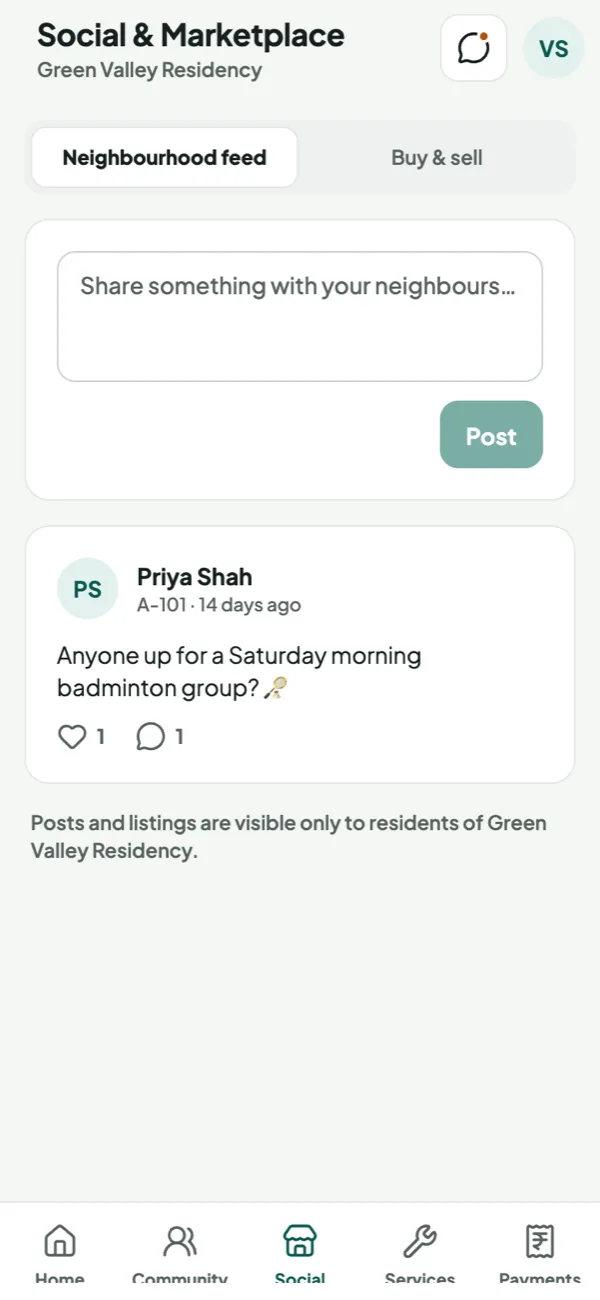
Ranked by neighbours. No friends or followers: posts rise with reactions and comments, and fade with age.
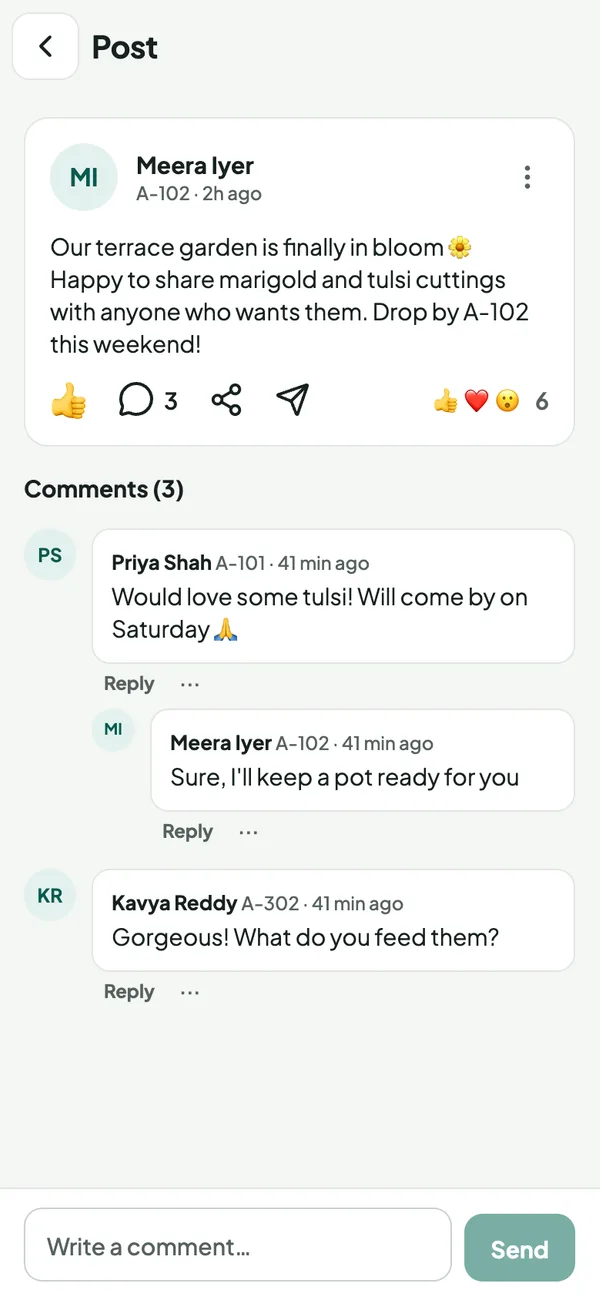
More than posts. Host an event, run a neighbour poll, share photos, files or contacts, and @mention people.
Notices in the flow. The pinned notice leads the feed; buy & sell listings appear as posts.
Moderated by you. Anyone can report a post or comment; the society hides or removes it.
My posts. Each resident keeps their own history of what they posted.
Post photos and files are kept 30 days, posts 6 months.
Know who’s coming. Collect what’s pledged.
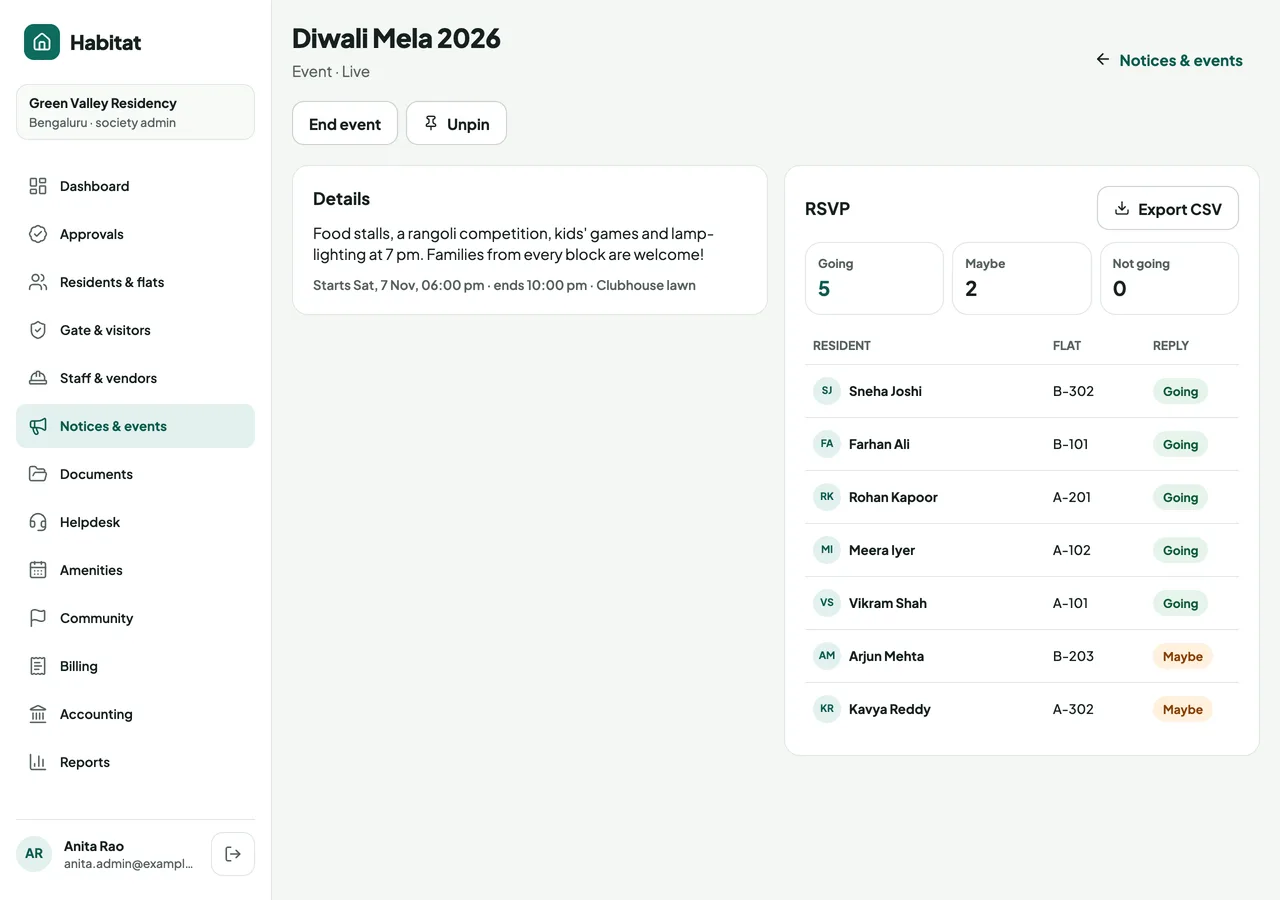
One notice board. Notices, polls, events and fundraisers together, pinned first, filtered by type.
Events with RSVP. Going, Maybe or Not going; organisers see who replied and export the list.
Residents host too. A yoga morning or a cycle ride: neighbours post events and see their RSVPs.
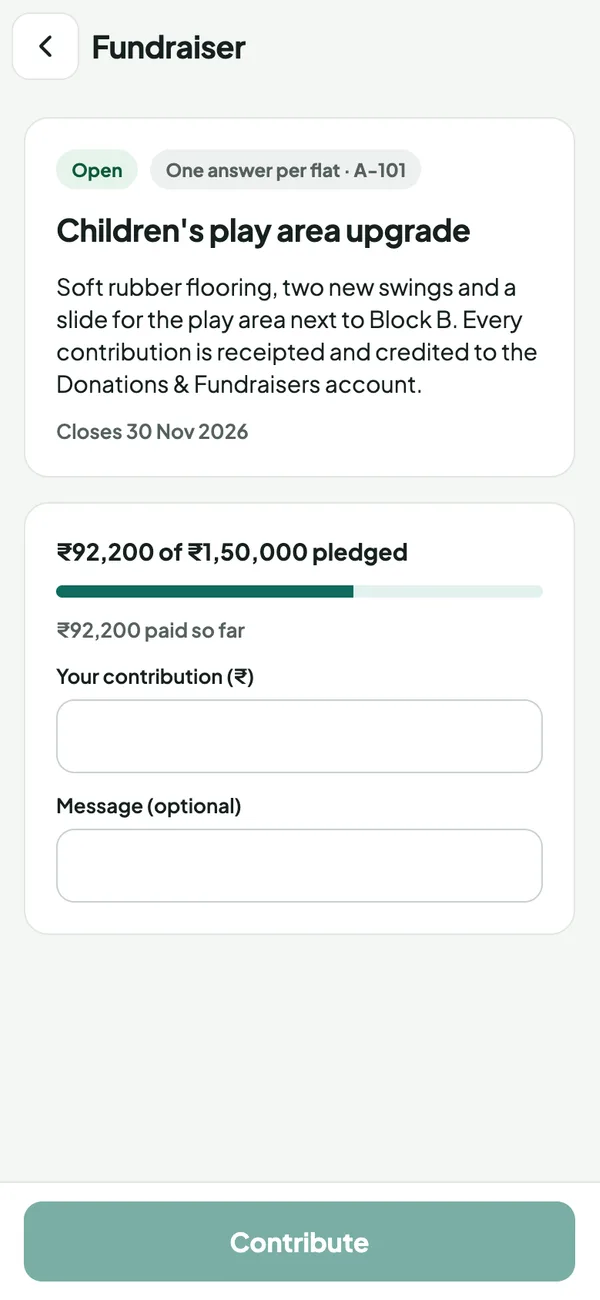
Fundraisers, paid online. UPI or card, a receipt for each payment, and a progress bar towards the target.
Straight into the books. Every contribution posts to the ledger account the committee chose.
Public fundraising. RWA project pages anyone can support.
On request
The home bakers, tutors and tailors next door
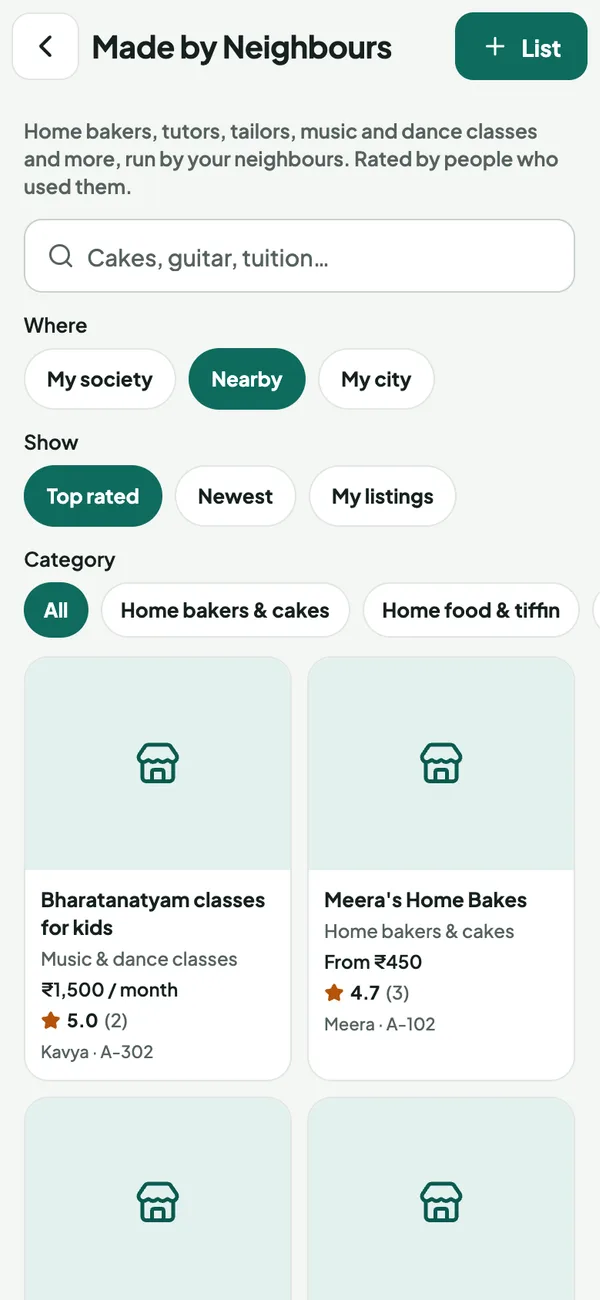
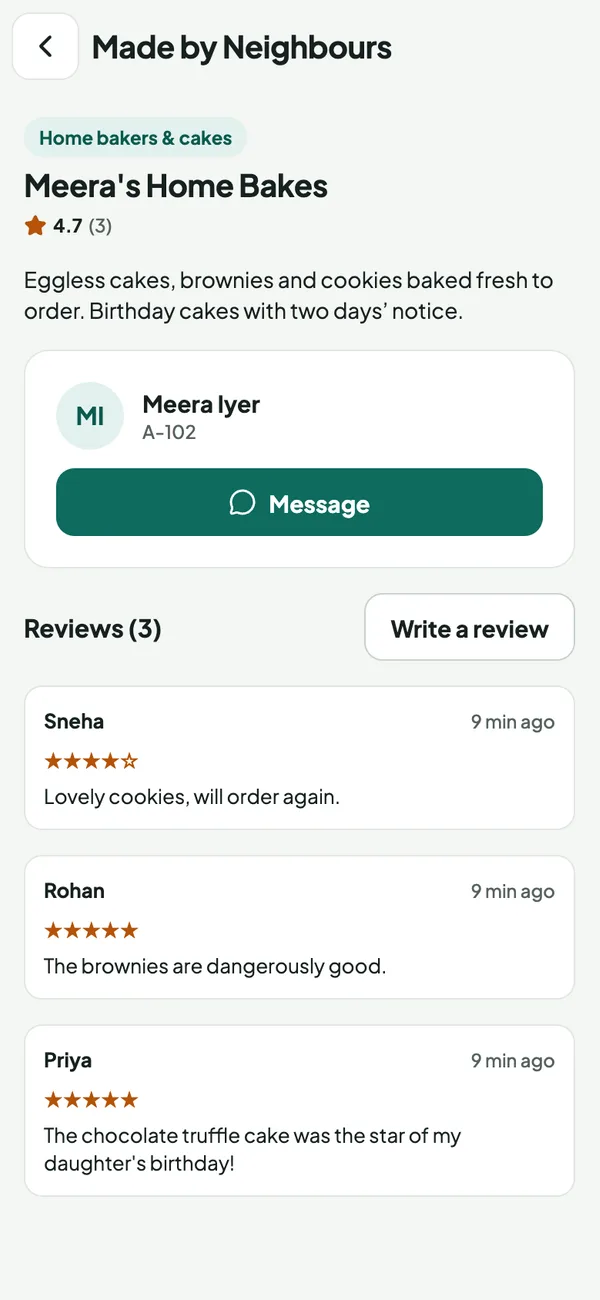
Home businesses & classes. Cakes, tiffin, tuition, dance, tailoring and more, in clear categories.
Their reach, their choice. Listed for the society, nearby societies or the whole city.
Top-rated first. Public ratings and reviews from neighbours; owners can’t rate themselves.
Order in a message. Message the owner in the app; no need to share numbers first.
Your whole society, one tab away
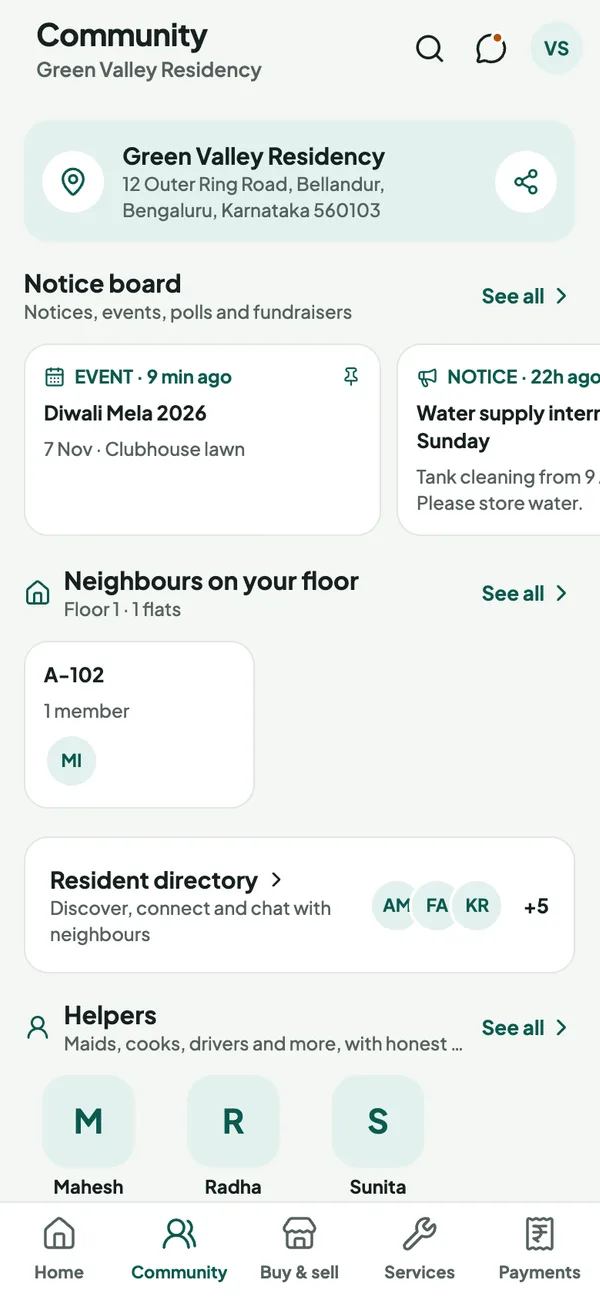
Society card. Name and address, with a share button that sends guests a Google Maps link.
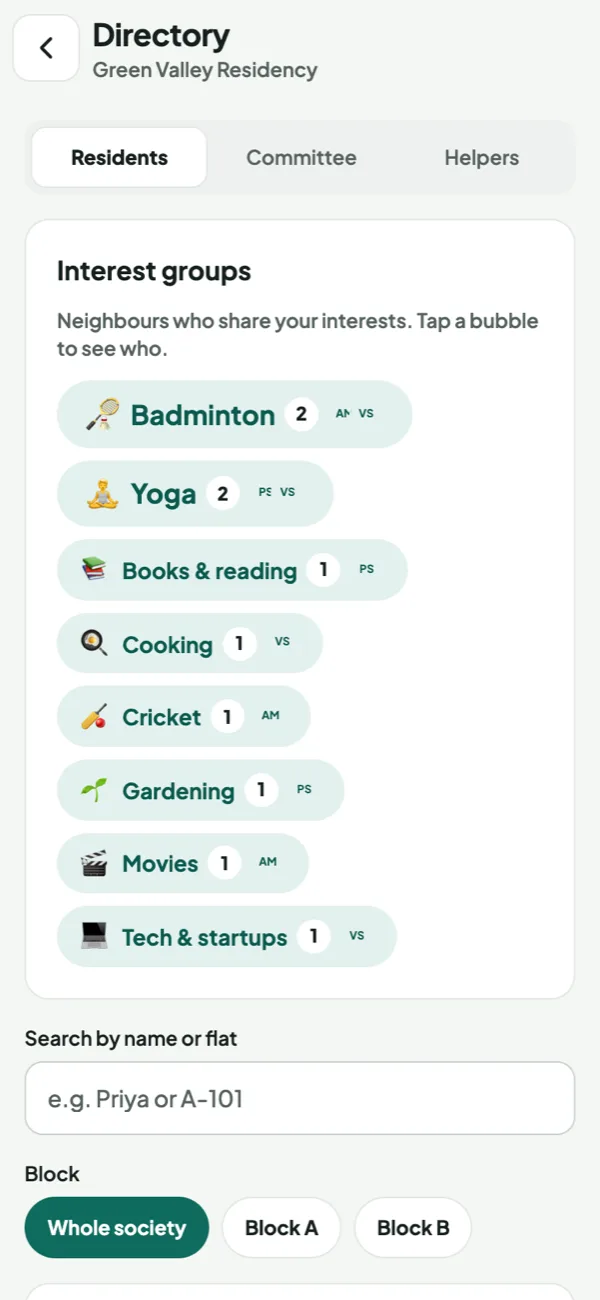
Neighbours & tribes. Neighbours on your floor, interest groups like badminton or yoga, and the full directory.
Private chats. Message any neighbour one to one; numbers stay hidden unless they choose to show them.
Your committee. Office bearers with chat, and a call button where they allow it.
Everything else, in strips. Notice board, helpers, Made by Neighbours, helpdesk and helplines.
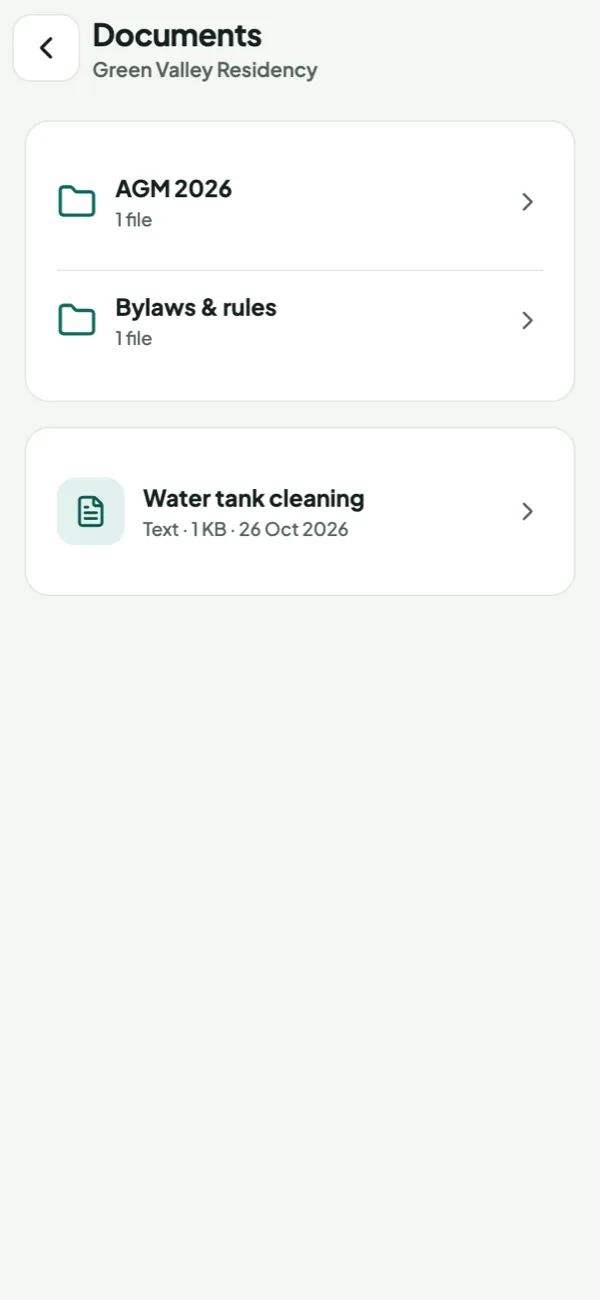
Every circular, bylaw and minute, in every pocket
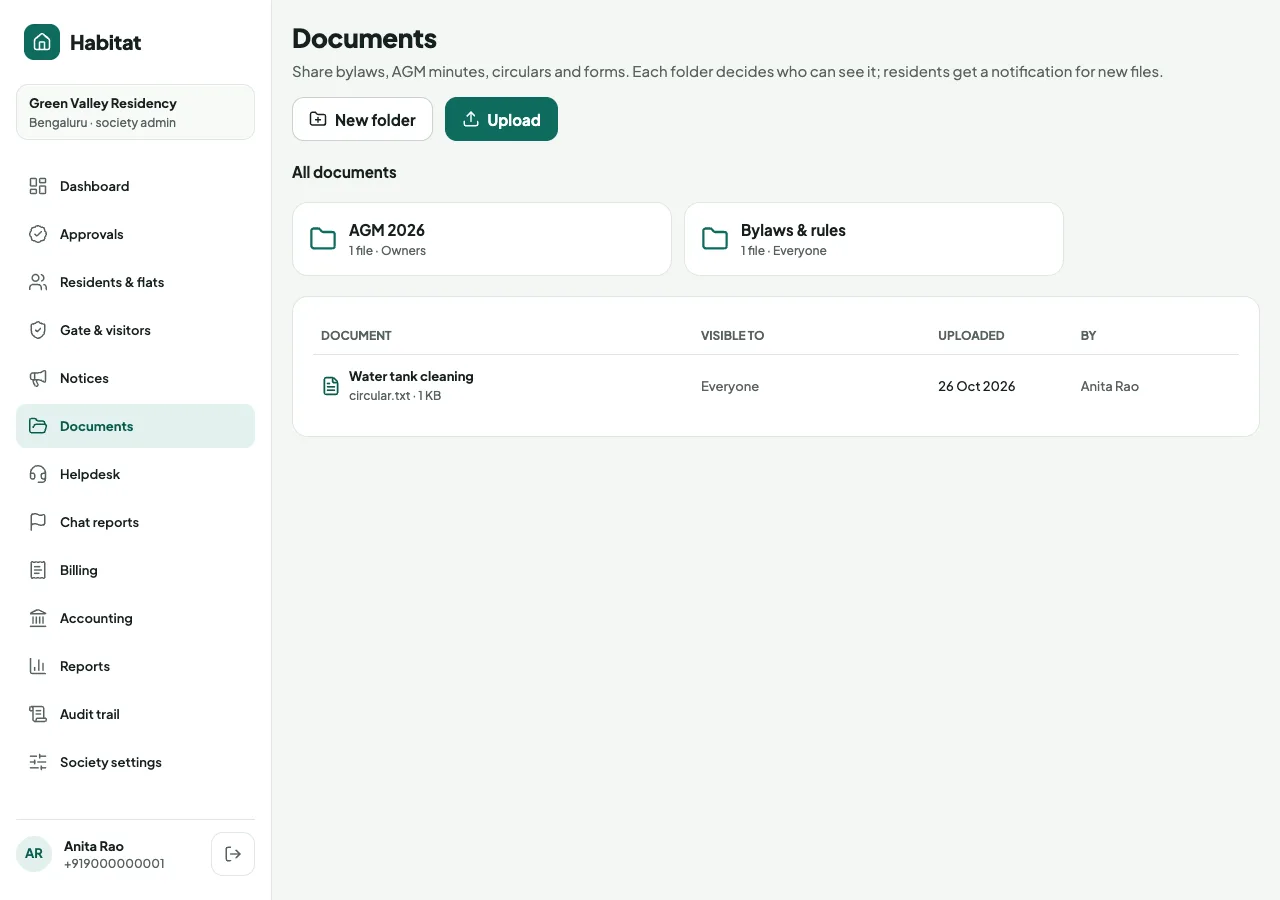
Folders like your office. Bylaws, AGM minutes, circulars, forms; residents see the same structure.
The right audience. Share with owners, tenants, family or a single block.
Everyone knows. A notification goes out the moment a file is shared.
Private and simple. PDFs, images and text open in the app; Word, Excel and PowerPoint download.
Photo & video albums. Festival and event albums, with an optional paid storage plan.
On request
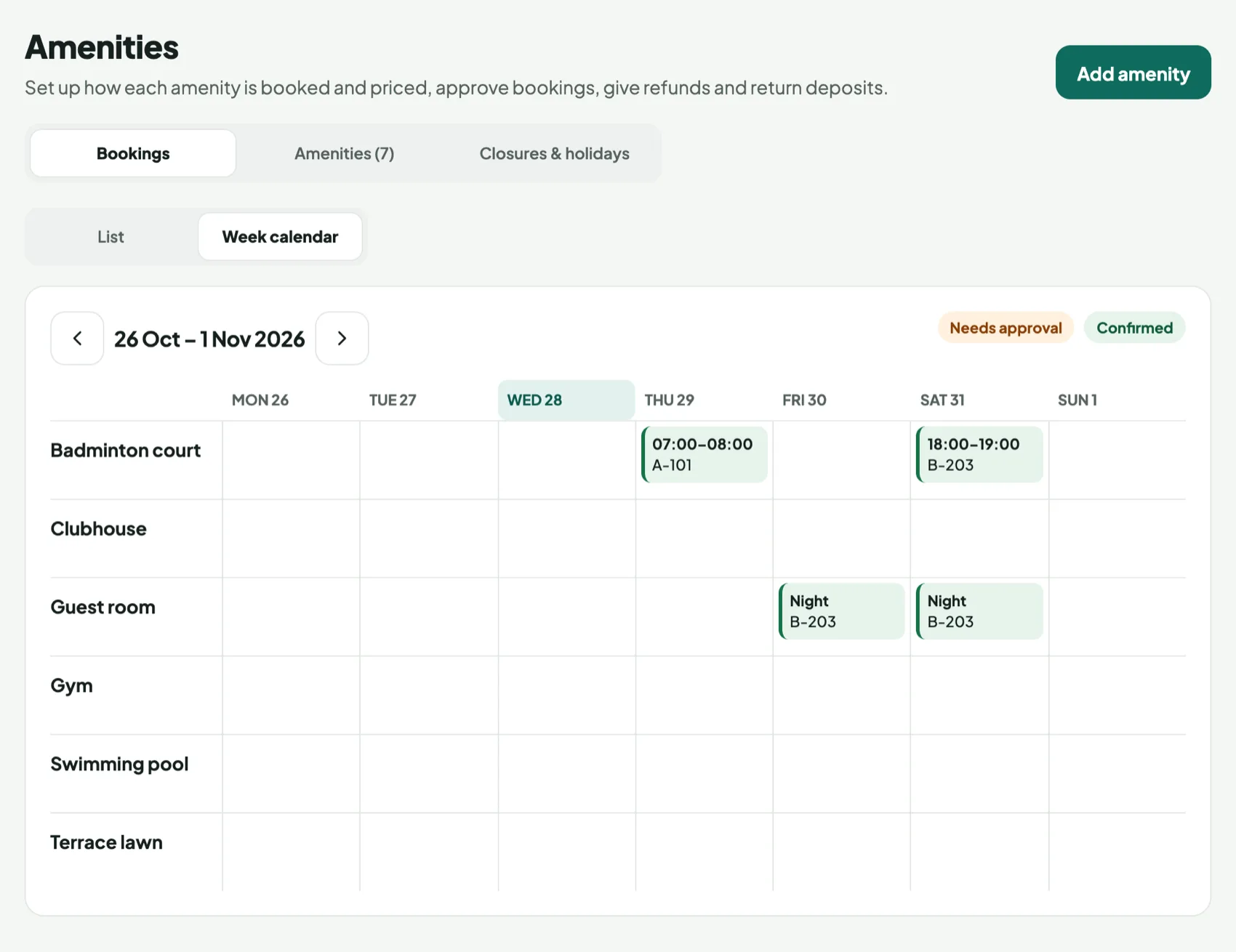
Clubhouse, guest room or court, booked the way each one works
Book it your way. Hourly slots, morning or evening sessions, full days or overnight stays.
Weekend & holiday prices. Separate rates for weekends and the festival days you mark.
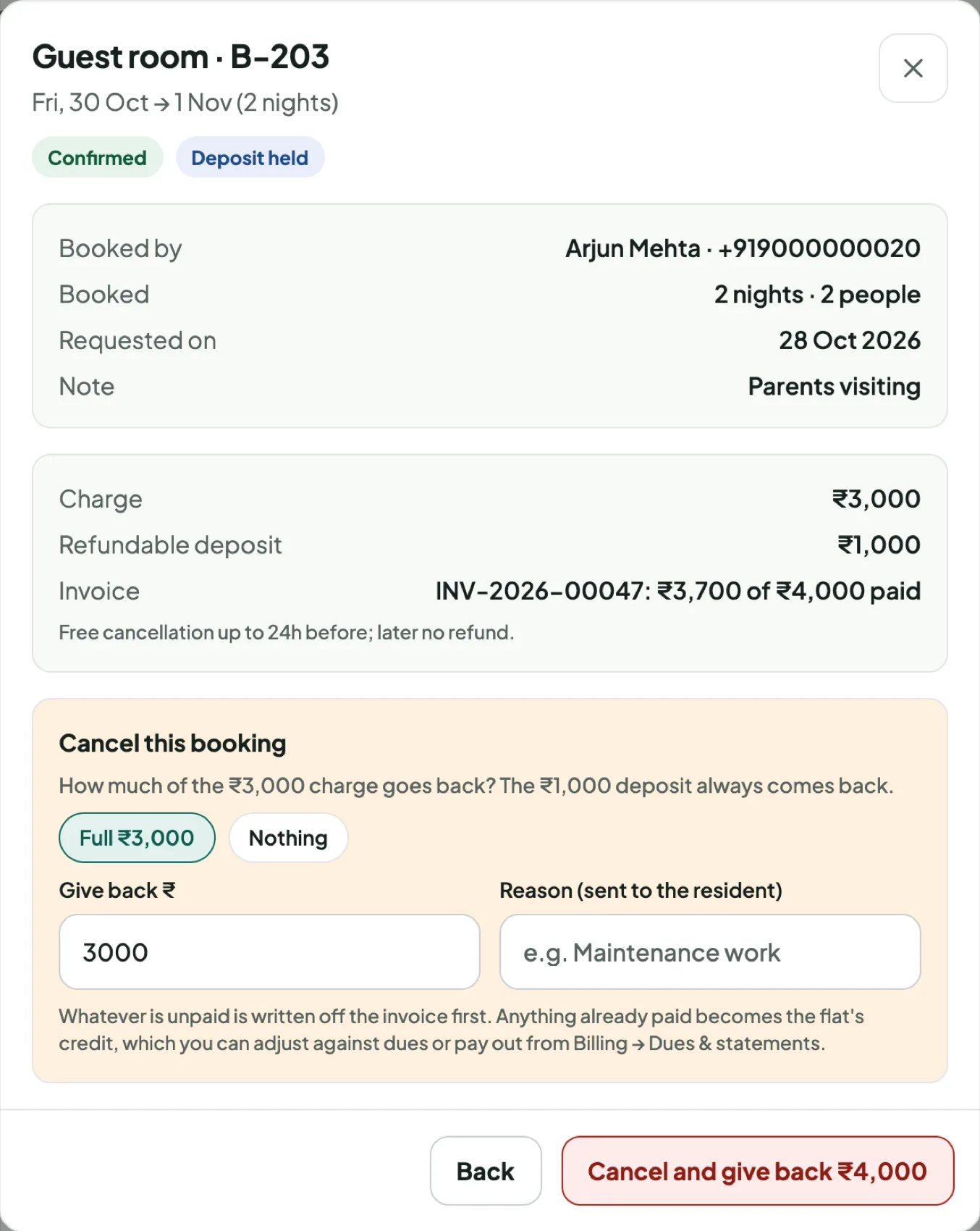
Refundable deposits. Billed with the booking; returned after, less any damages, with a reason.
Fair rules. Approvals, limits per flat, a cancellation policy and closure dates.
Refunds in one step. Cancel, choose the refund, and the flat gets the credit. Every rupee is in the books.
Trusted help for every flat, one tap away
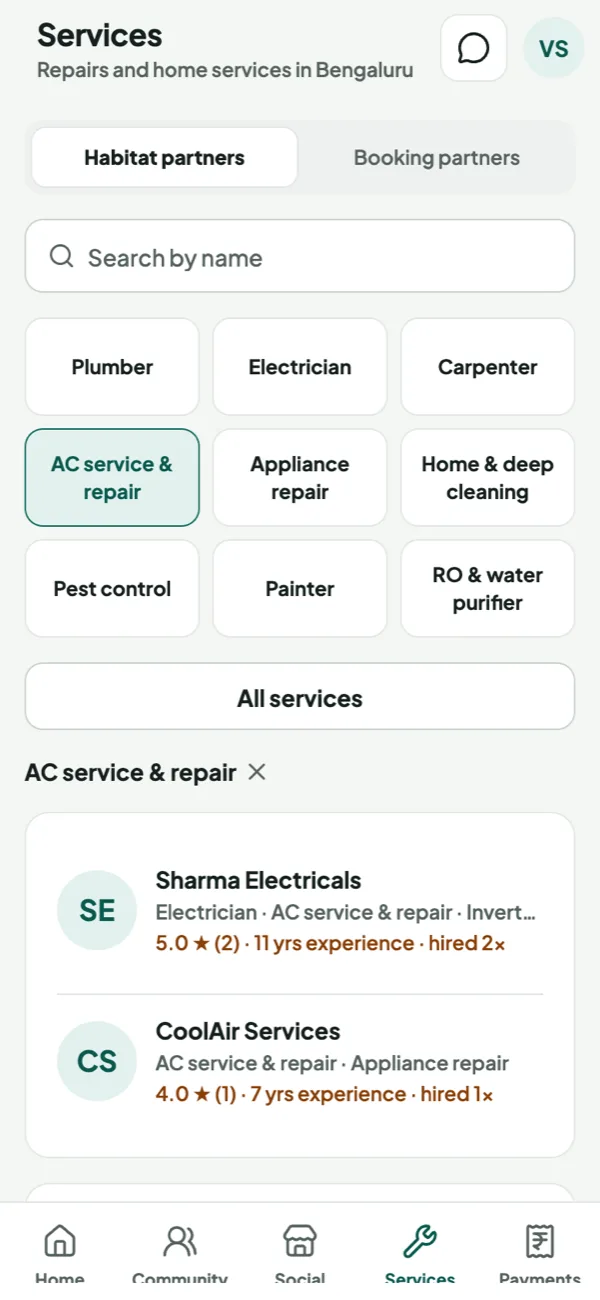
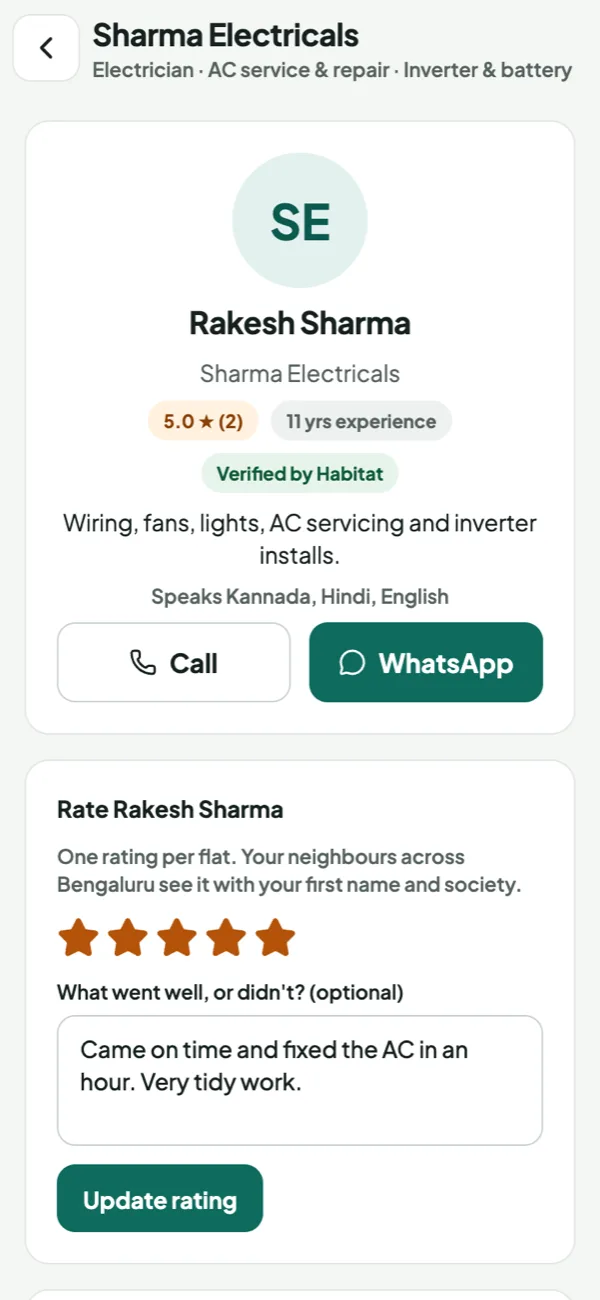
Verified partners. Plumbers, electricians, AC, cleaning, pest control and 30+ more.
Rated by neighbours. Only residents who hired them can rate, one rating per flat.
Call or WhatsApp. Reach them directly from the app, free for residents.
Booking partners. Book professionals from leading home-service platforms in the same tab.
Matched to you. Only partners serving your city and pincode appear.
The committee stays in control, from any browser
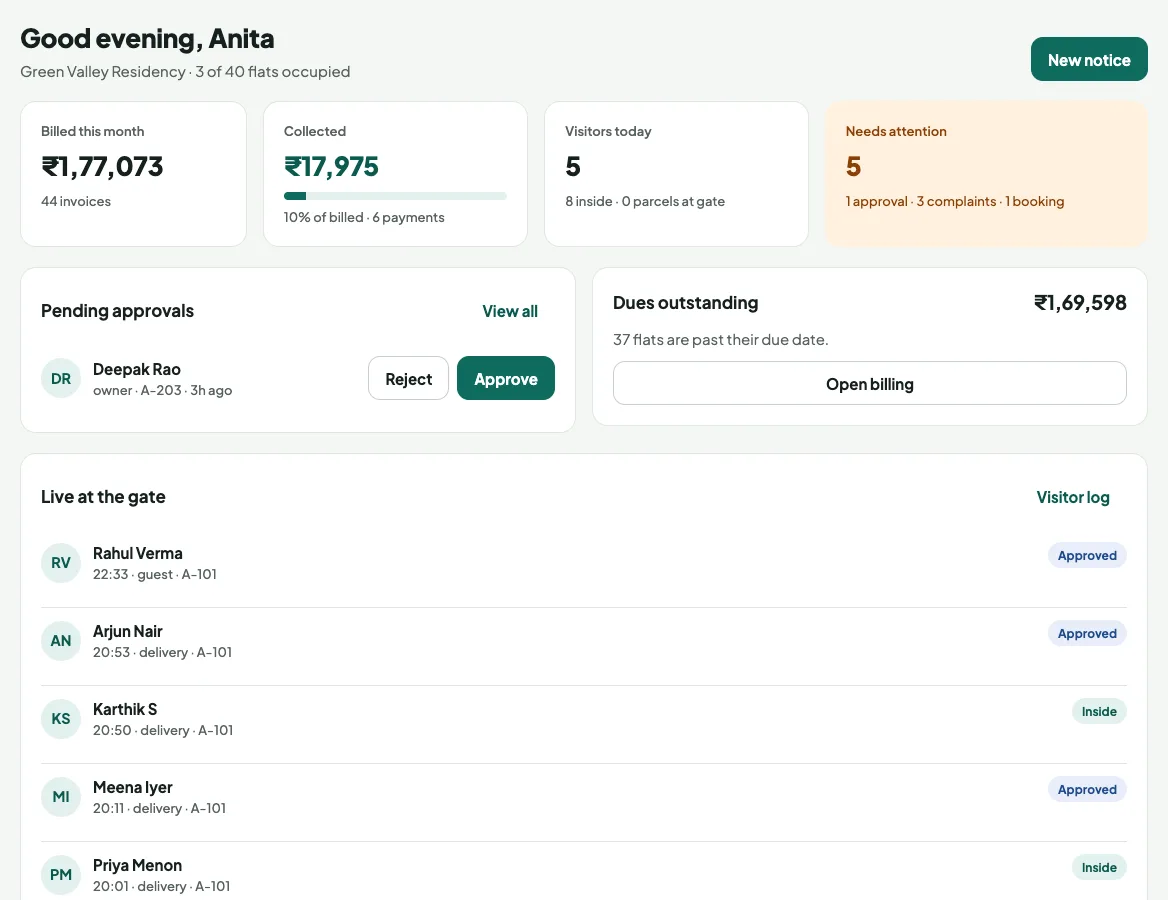
Live dashboard. Billing, collections, visitors and approvals at a glance.
Roles & access. Committee, accountant, facility manager, guards: each sees only their part.
Approvals your way. Optional approval for family, tenants, vehicles and daily help.
Set up in minutes. Quick setup creates blocks, flats, numbering and parking for 12 flats or a township.
Audit trail. Every admin and money action is logged: who, when, what. Filter and export.
Every guard, cleaner and technician, accounted for
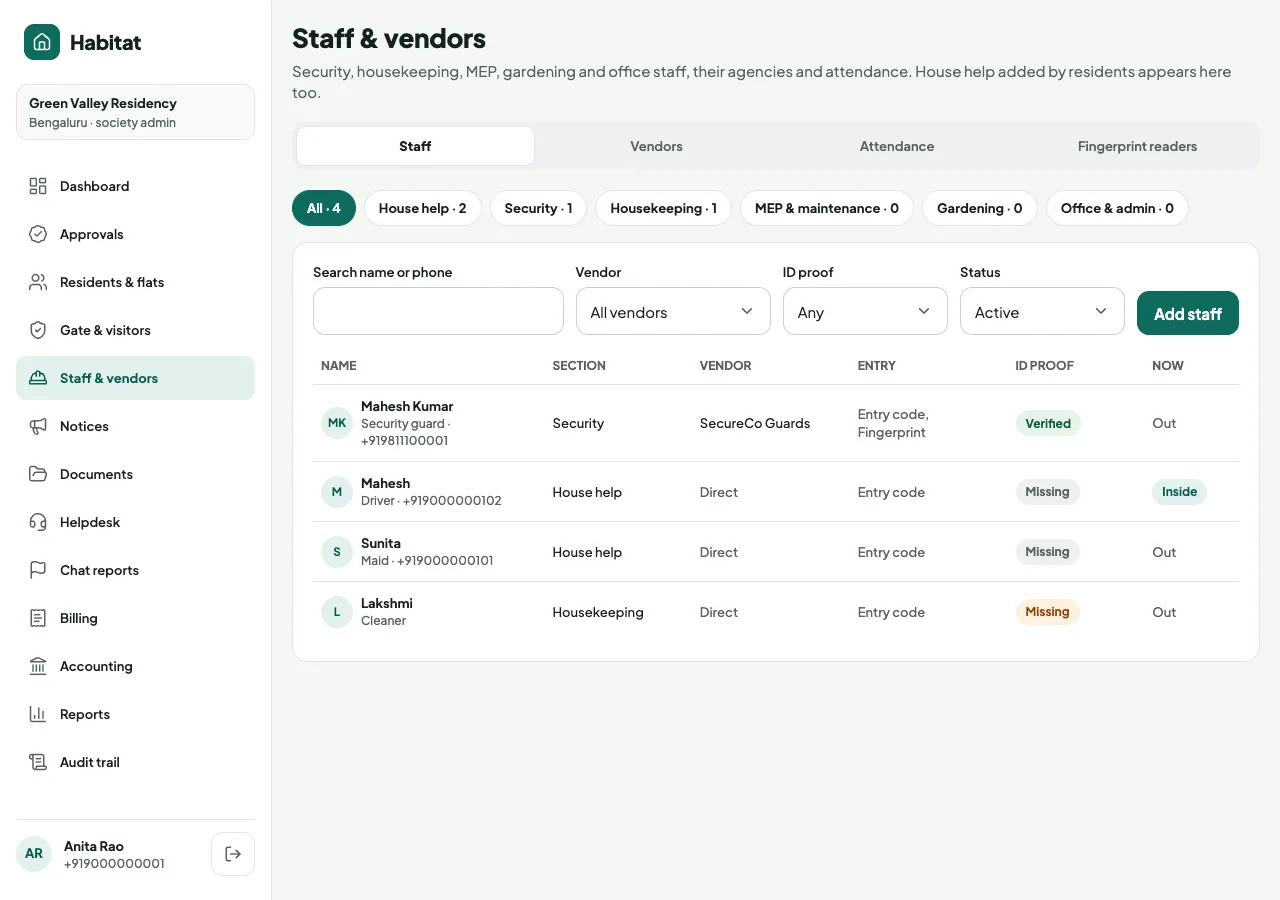
One register. Security, housekeeping, MEP, gardening and office staff, plus residents’ house help.
Vendors & agencies. Link each person to their agency and filter by it; the agency’s bills sit in the same books.
Entry your way. Entry code at the gate or a fingerprint reader, set per agency.
ID on file. ID proof required for society staff, optional for house help.
Reviewed attendance. Verify, flag a proxy or correct a missed punch; every change is audited.
Staff app & Aadhaar verification. Self check-in for staff and Aadhaar-verified IDs.
On request
See Habitat working on your own society
Get a free, guided demo, then go live in 2 days. No cost, no contract.